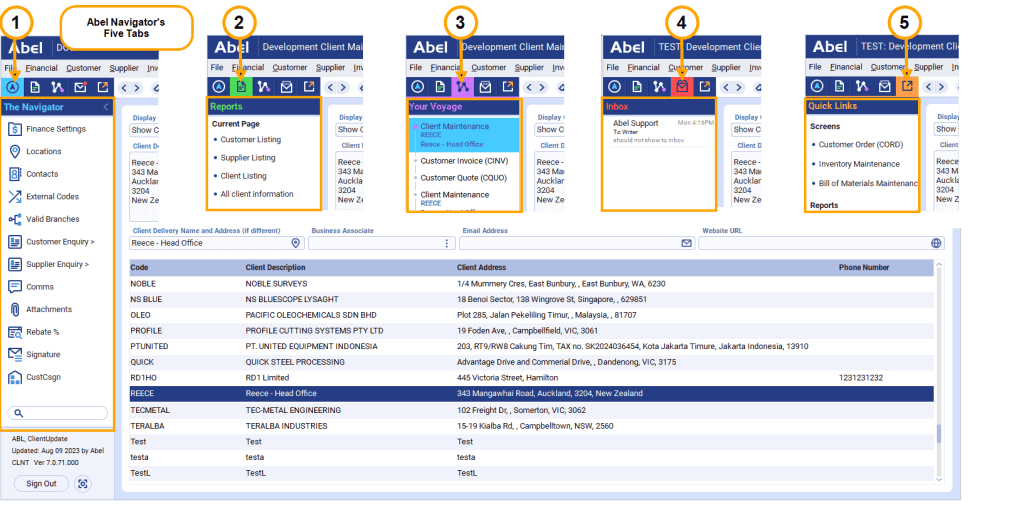
Abel® Version 7 has a Navigator Panel that provides fast access to common functions, holds your recent history and provides quick links to screens and reports that you specify. The navigator is available on most Abel screens and has five tabs:
- The Navigator – Contains the function and navigation buttons for the current screen.
- Reports – Lists reports configured for the current screen.
- Your Voyage – Holds a recent history of screens you’ve visited, and the last record you viewed on each one. Click to navigate back to them.
- Message Inbox – Lists your newest Abel messages.
- Quick Links – Contains links you’ve saved to your most-used screens and reports.