Some businesses have complex, multi-level Bills of Materials (BOMs that contain other BOMs). Managing multi-level BOMs can be a challenge.
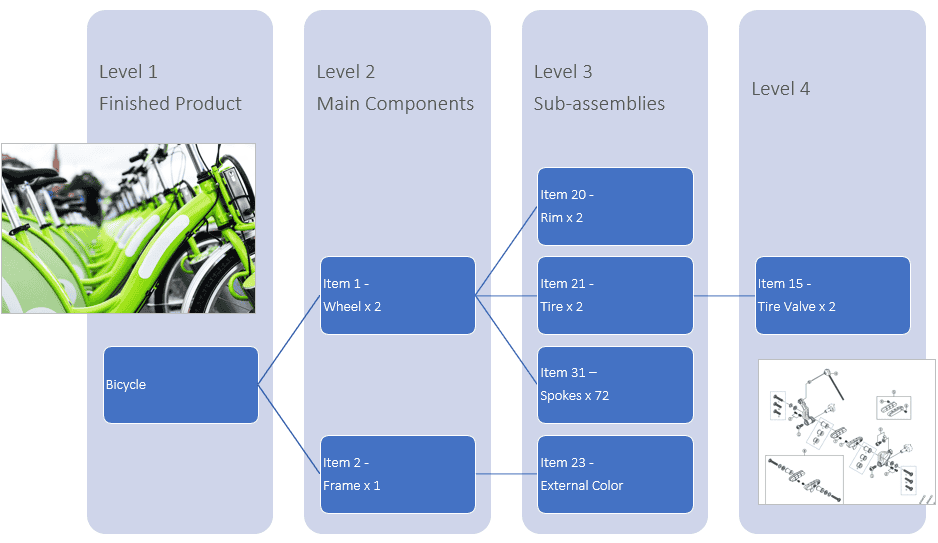
In this blog we’ll see how Abel provides visibility and drill-down through multi-level BOMs in the BOM Maintenance screen. Abel’s BOM Maintenance screen has a tabbed layout that enables you to view a BOM and its sub-BOMs, navigate between related BOMs and back to the top-level BOM. The tabbed layout helps customers with multi-level BOMs to view and maintain them more easily and view the cost breakdown at each level.
In BOM Maintenance:
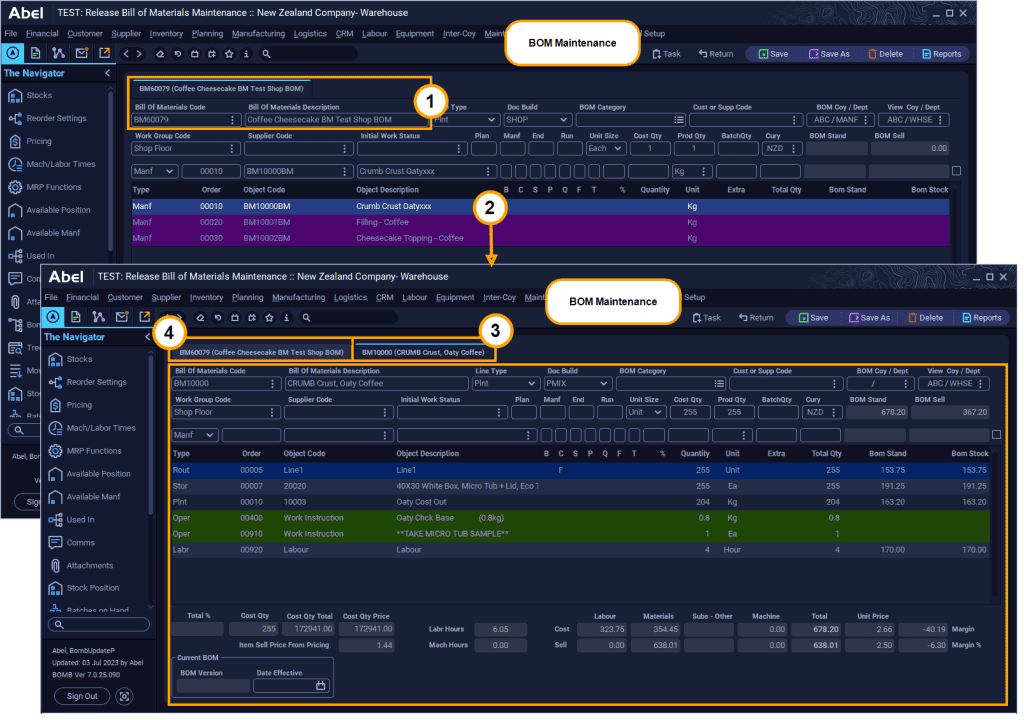
- Select a BOM, Abel displays the BOM in the first tab.
- In the table, double-click a line that has a sub-BOM e.g. a Manufacturing line.
- Abel refreshes the screen to display the sub-BOM for the line in a second tab.
- Click a tab to switch your view between the parent BOM and the sub-BOM …
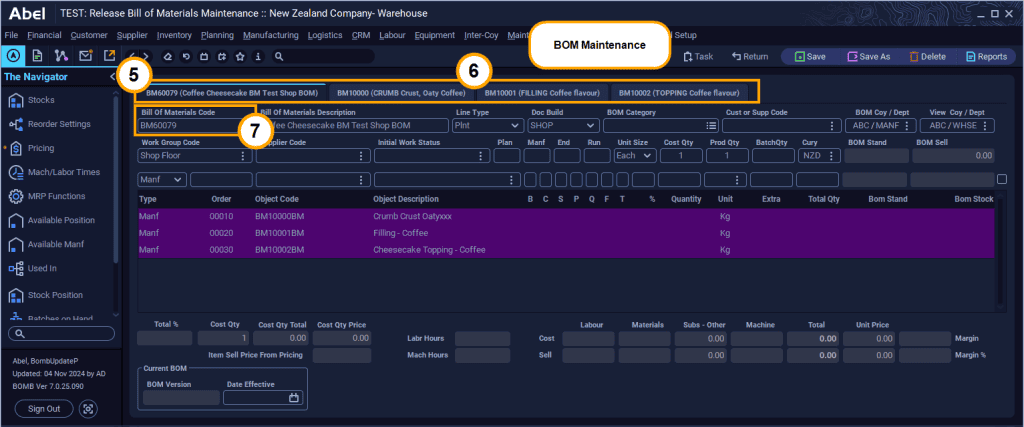
- This example has four tabs – one parent and three sub-BOMS.
- Switch between them by clicking the tabs.
- You can use the Bill of Materials Code field to select a different BOM, (as in step 1 above).
Read more about Abel’s BOMs: