Abel’s Multi-Level Bills of Materials

Some businesses have complex, multi-level Bills of Materials (BOMs that contain other BOMs). Managing multi-level BOMs can be a challenge.
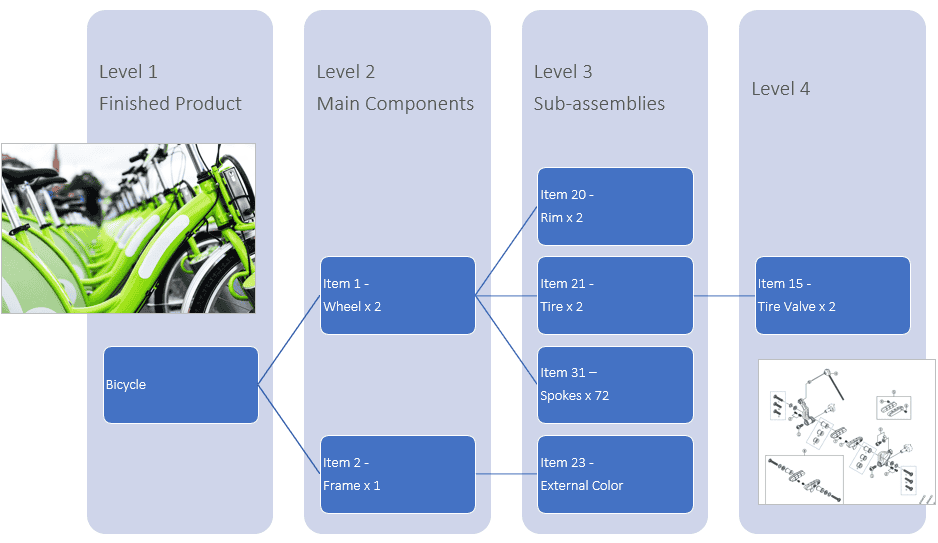
In this blog we’ll see how Abel provides visibility and drill-down through multi-level BOMs in the BOM Maintenance screen. Abel’s BOM Maintenance screen has a tabbed layout that enables you to view a BOM and its sub-BOMs, navigate between related BOMs and back to the top-level BOM. The tabbed layout helps customers with multi-level BOMs to view and maintain them more easily and view the cost breakdown at each level.

In BOM Maintenance:

  1. Select a BOM, Abel displays the BOM in the first tab.
  2. In the table, double-click a line that has a sub-BOM e.g. a Manufacturing line.
  3. Abel refreshes the screen to display the sub-BOM for the line in a second tab.
  4. Click a tab to switch your view between the parent BOM and the sub-BOM …
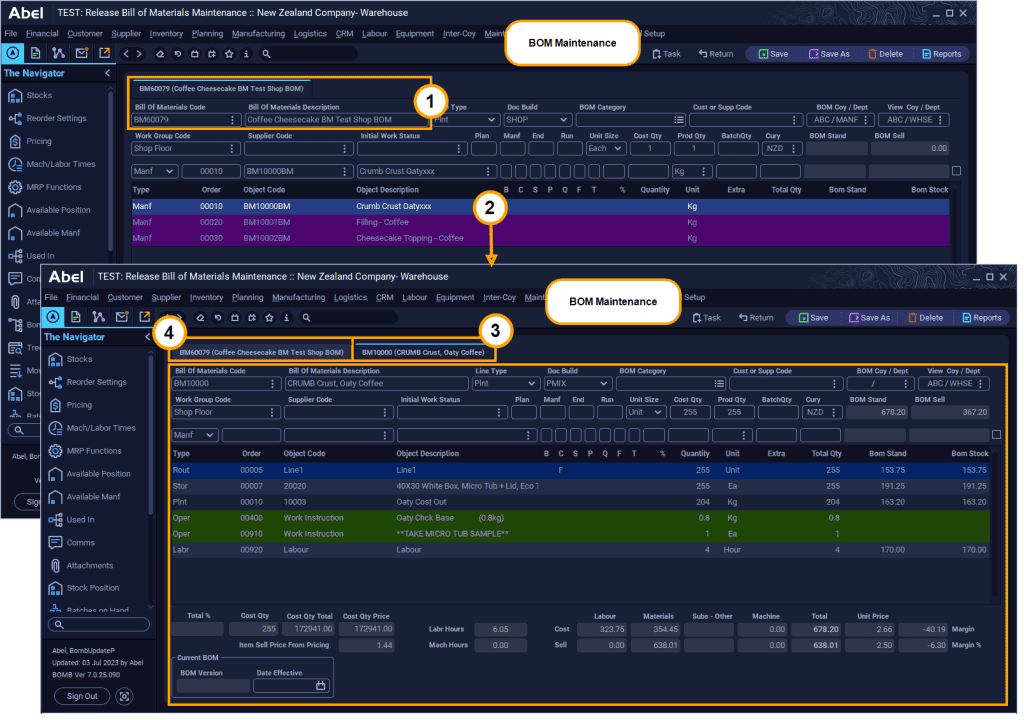
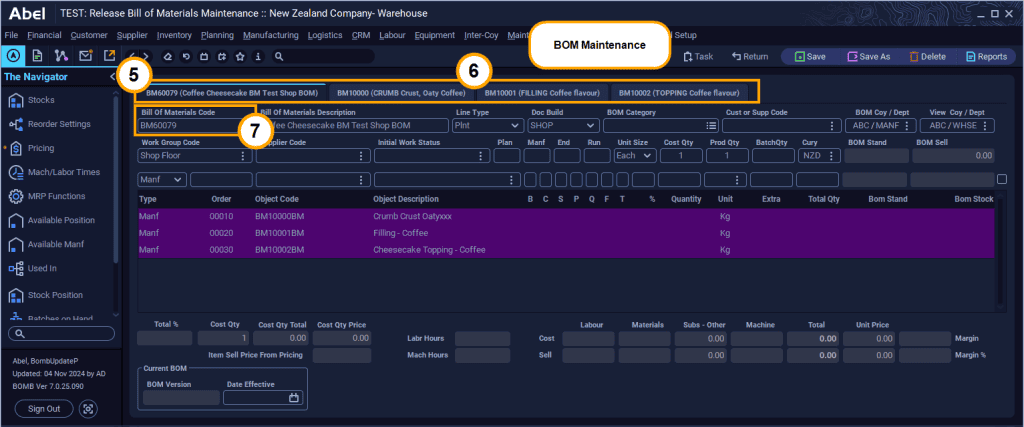
  1. This example has four tabs – one parent and three sub-BOMS.
  2. Switch between them by clicking the tabs.
  3. You can use the Bill of Materials Code field to select a different BOM, (as in step 1 above).
Read more about Abel’s BOMs:


Bills of Materials in Abel

Managing Changes to Bills of Materials

Stay up to date with us

Explore our feature insights, practical tips, and company news.

Stay up to date with us

Explore our latest resources and expert insights and industry news.

rik

Following our recent South Island focus event in Christchurch, which included a golf morning and…

jane

To celebrate the start of Abel’s 30th year, we tried something different by bringing together…

rik

Following our recent South Island focus event in Christchurch, which included a golf morning and…

jane

To celebrate the start of Abel’s 30th year, we tried something different by bringing together…

rik

The Navigator in Abel Version 7 is designed to bring relevant functions and actions into view…

rik

Following our recent South Island focus event in Christchurch, which included a golf morning and…

jane

To celebrate the start of Abel’s 30th year, we tried something different by bringing together…

rik

The Navigator in Abel Version 7 is designed to bring relevant functions and actions into view…

rik

Abel’s Global Search is about to become your new best friend. Available in Abel Version…

Find out how Abel® can benefit your business

Search