The Navigator in Abel Version 7 is designed to bring relevant functions and actions into view as you work, helping you access what you need where you need it. Located on the left side of the screen, the Navigator includes five tabs, each supporting everyday efficiency and usability.
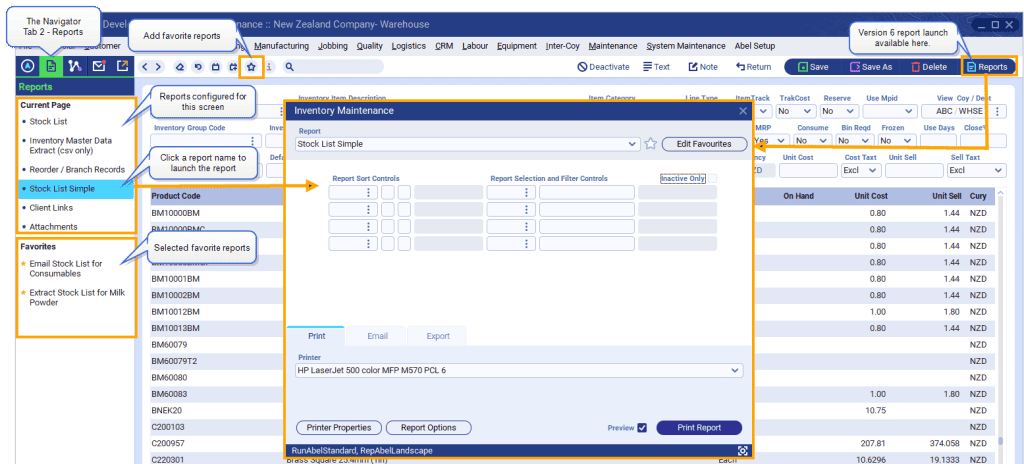
This blog focuses on Tab 2 – Reports, which provides quick access to reports relevant to the screen you are currently working in.
Reports and Favorites together:
The Reports panel lists reports configured for the screen you’re working in, and favorite reports that you’ve added.
You can:
- View configured reports and your favorite reports in one list
- Use the Star icon to select your favorite reports for the Reports panel
- Launch reports directly from the Reports panel.
This means fewer clicks, especially if you run the same reports regularly.
For those upgrading to Version 7, your familiar Version 6 report favorites and report launch methods are also available in Version 7.
Top tip:
If you run certain reports often, set them up as favorites — a small step that saves time every day.